10 Reasons Why Your VPN is Leaking Your IP
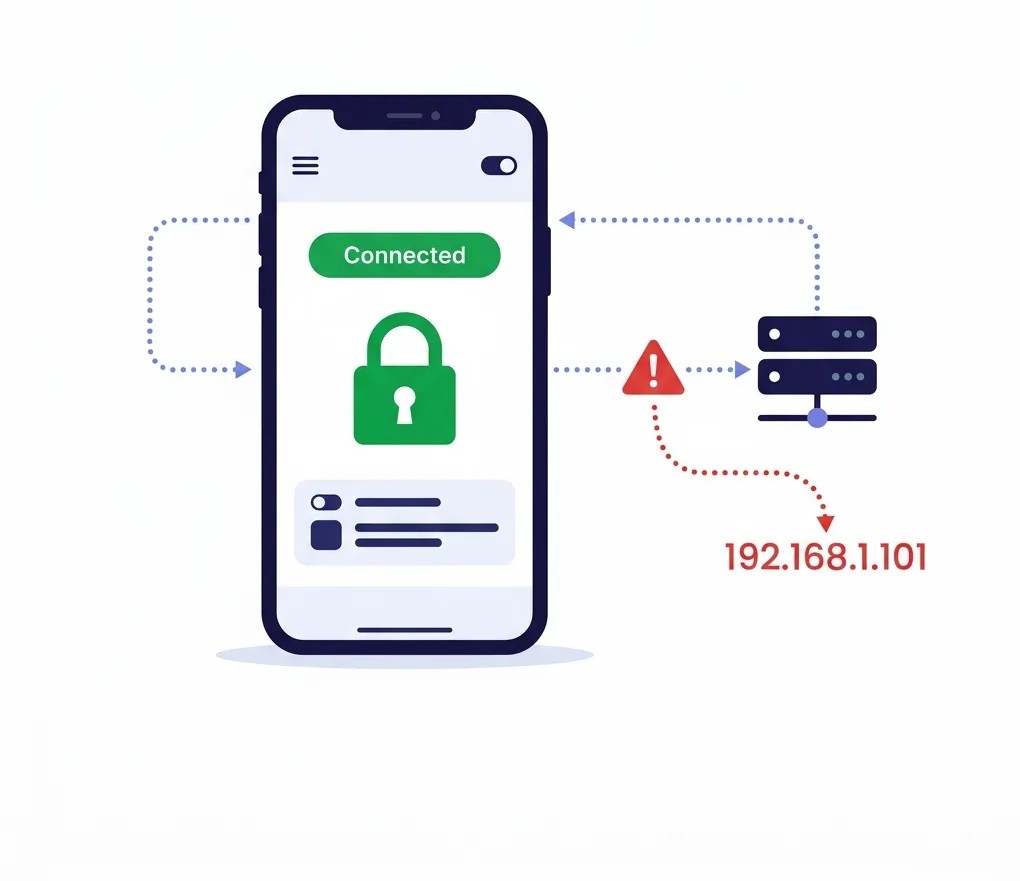
Are you familiar with using VPNs? If yes, are you aware that most of them don’t really work all that well even though it says “connected”? This most of the times happens when we don’t configure it properly. So, if you’re not aware, this guide helps you understand reasons why your VPN is leaking your IP. Plus, in most cases, it often occurs when you least expect it.
The thing is, you may have downloaded a VPN in the past, regardless of whether it was paid or free. You open the app, connect to the best server according to your task, and hit connect.
Now, here’s the sitch. The app does show you that you’re connected to the VPN; even the IP changes.
However, have you ever noticed a VPN that is in a connected state but isn’t really protecting you? Misconfigurations happen more often than anyone wants to admit, and when they do, your real IP address leaks without you even knowing.
Let us walk you through ten of the most common VPN mistakes that you’d never think would expose your physical IP. Plus, how to fix them.
What is an IP Leak?
In short, an IP leak is when your real IP address is bare in the open or exposed despite connecting to a VPN. It slips out from behind your VPN.
As a result, websites, advertising bodies, or basically anyone monitoring your traffic can see your real IP and which country you’re connecting from. Also, as mentioned, all this happens despite your VPN claiming to be connected.
Why Should I Care About an IP Leak?
Think of an IP address as the digital version of you. When exposed, it reveals much more than you think. To name a few:
- Your precise geographic location.
- The internet service provider you’re using.
- And ultimately, your data, which pretty much is your identity.
So, why does an IP leak matter? In short, it compromises your privacy, targets you through advertising, tracks all your traffic, imposes online restrictions, and enables malicious attacks.
Before jumping to VPN mistakes you’re not aware of that are leaking your IP and their fixes, let’s first get you acquainted with the three main types of IP leaks:
| Leak Type | What Happens | How to Detect It |
| DNS leak | When your DNS requests break through the encrypted VPN tunnel. | Run a test via a DNS leak test tool. |
| WebRTC leak | It’s when your browser reveals your physical IP address via WebRTC. | Conduct a WebRTC leak test. There are dependable free tools for it. |
| IPv6 leak | When your IPv6 traffic leaks from the VPN tunnel. | Use a free tool and check for IPv6 exposure. |
Now that you’re aware, how exactly do you know that your VPN is leaking your IP address? Take a look below.
How to Check if Your VPN is Leaking IP
Here’s how:
- Take note of your real IP address first. You can use this tool: https://ipleak.net/.
- Now, once you’ve taken note, connect to the VPN. Select any server.
- Once connected, go back to https://ipleak.net/ and compare the old IP with the new.
- If the IP matches, it means your VPN is leaking your IP. If they’re different, you’re good to go.
To be extremely sure:
- Run a DNS leak test using a reliable tool.
- Run a WebRTC leak test using a tool to see if it’s leaking.
10 Reasons Why Your VPN is Leaking Your IP
You know what an IP leak is, its kinds, and how to check if your VPN is leaking your IP. Now, here are ten of the most common reasons why your VPN is leaking your IP address and how to fix them:
1. You Didn’t Enable the Kill Switch
This is one of the biggest reasons your IP becomes exposed. If your VPN connection drops midway, whether because of a network issue, a server problem, or a device restart, your internet traffic reverts to your normal connection. Consequently, without a kill switch, your real IP becomes visible instantly.
How to Fix It
Enable the kill switch in your VPN app settings. On Windows, check the “Connection or Network” section. Similarly, on macOS, look in “Preferences.” Make sure it’s active on every device you use. Additionally, to check if your IP has changed and your physical IP isn’t exposed, run an IP leak test. You can use a free IP checker tool. Refer to the suggestions above to check for IP leaks.
2. You Turned Off DNS Leak Protection
DNS requests translate website names into IP addresses. Therefore, if those requests aren’t routed through the VPN tunnel, your ISP can see every site you visit. This can also happen while the VPN appears to be working.
How to Fix It
Turn on DNS leak protection, which you can find in the VPN settings section. After connecting, run a DNS leak test to confirm your requests are routing correctly.
3. You Selected the Wrong Protocol
Many assume that all VPN protocols work the same. However, they don’t. Some protocols are more secure than others. If your app defaults to an older or weaker protocol, your connection may be vulnerable to leaks or interference.
How to Fix It
Switch to OpenVPN and WireGuard protocols, as they are the most reliable choices. If your VPN uses an auto-select mode, switch to manual selection and choose one of these protocols.
4. You Misconfigured Split Tunneling
This is another one of the VPN mistakes that leak your IP. The Split Tunneling feature lets you choose which apps use the VPN and which don’t. It’s a useful feature, but if you exclude the wrong apps, sensitive traffic can bypass the tunnel entirely.
How to Fix It
First, review your split tunneling rules carefully. Only exclude apps that genuinely don’t need VPN protection. Consequently, when you’re in doubt, route everything through the VPN.
5. Your Browser Doesn’t Block WebRTC
Next on the list of reasons why your VPN is leaking your IP is unblocked WebRTC in your browser. WebRTC is a browser feature that enables real-time communication. However, it can also reveal your real IP address, even when your VPN is active.
How to Fix It
Start by disabling WebRTC in your browser settings, or use a browser extension that blocks it. Chrome and Firefox both allow you to turn this off.
6. You Disabled Auto-Connect on Startup
If your VPN doesn’t start automatically when your device boots, there’s a window where your traffic flows unprotected. Even a few seconds is enough to expose your IP.
How to Fix It
Enable auto-connect in your VPN app preferences. Consequently, this ensures the VPN app starts before any other traffic leaves your device.
7. Your VPN Doesn’t Block IPv6
Many VPNs handle IPv4 traffic well but don’t block IPv6. Therefore, if your device uses IPv6 and the VPN doesn’t route it, your IPv6 address can leak.
How to Fix It
Disable IPv6 at the operating system level, or confirm that your VPN blocks it natively. This is especially common on Windows.
8. Your iOS Device Fails to Auto-Reconnect
iOS devices handle VPN connections differently than other platforms. Certain system-level processes can bypass the VPN tunnel, even when a kill switch is active.
How to Fix It
After every iOS update, manually check your VPN configuration profile. Don’t assume your settings carried over.
9. You’re Using an Old VPN Client Version
This is one of the biggest reasons why your VPN is leaking your IP, and the silliest one. Older versions of VPN apps have known vulnerabilities. Additionally, they miss out on newer encryption standards or fail to apply bug fixes.
How to Fix It
Always keep your VPN app updated on all devices. On Android, background updates aren’t always installed automatically. Therefore, you need to manually check it.
10. You Never Test After Configuration
This is the most overlooked mistake that exposes your IP address. People set up their VPN and assume it’s working automatically. However, you need to take time to verify it.
How to Fix It
After changing any setting, run an IP lookup test to confirm your real IP isn’t exposed. It takes seconds and gives you certainty.
That’s all. These are the most common reasons, and it’s always wise to go through all your options before you get the VPN to work effectively again.
To Conclude
Keep in mind that a few reasons can cause your VPN to leak your IP, and you need to check each one. It won’t take much time, and it might even be a little fun.
A VPN only works as well as its configuration. Therefore, a properly set up VPN hides your IP and encrypts your traffic. However, a misconfigured one gives you a false sense of security, which can be worse than not using a VPN at all.
iProVPN encrypts your data for protection against hackers and surveillance. Unblock your favorite streaming platforms instantly with the best VPN for streaming.
Start Browsing Privately!